The mind map app that keeps your ideas private.
Brainstorm, plan and study on an unlimited canvas. Start from a single sentence with AI, shape it by hand — and nothing you write ever leaves your device.
- No ads
- No account
- No tracking
- Works offline
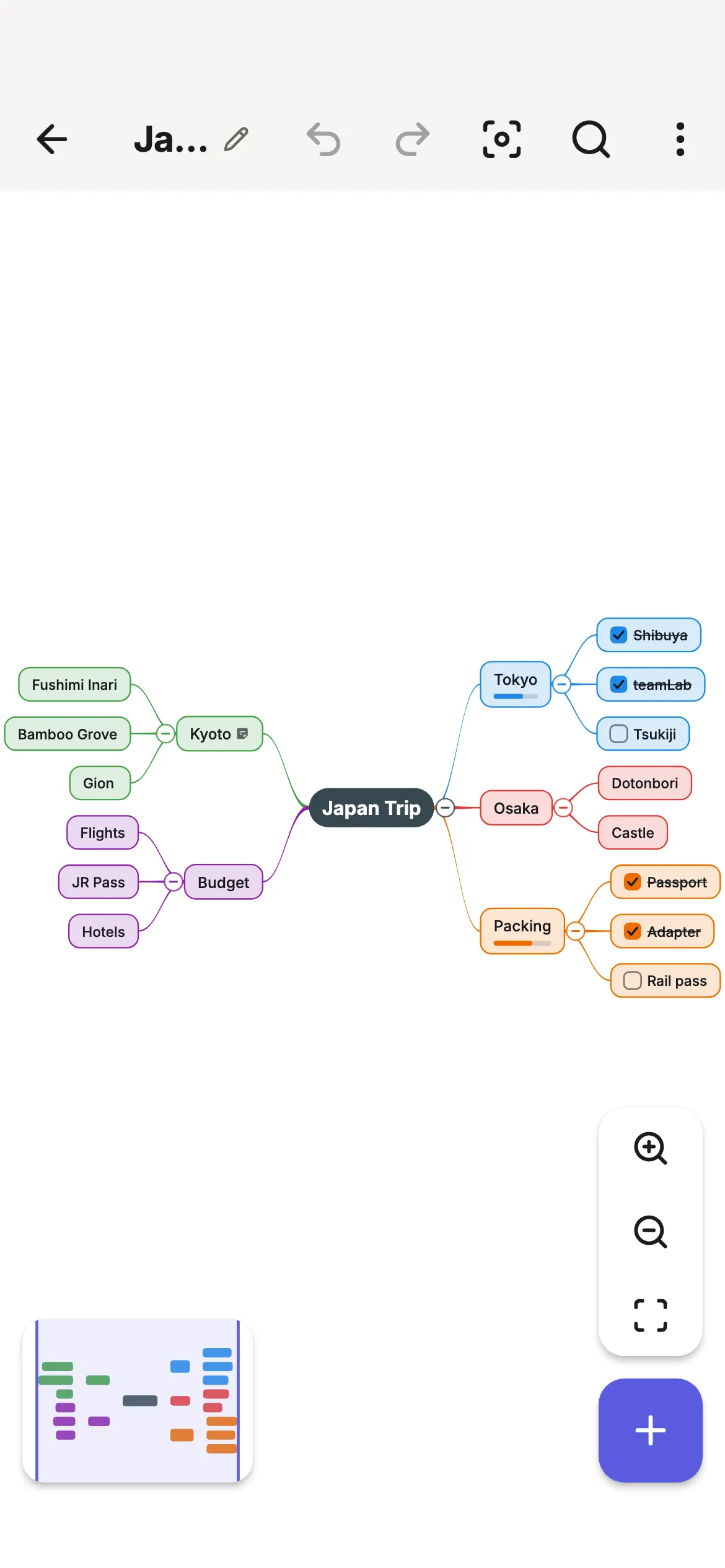
Everything a mind mapping app should do. Nothing it shouldn’t.
Smart Mind is built for one person’s thinking: fast to capture, calm to look at, and yours to keep.
Start with a sentence. Finish by hand.
Describe what’s on your mind — “plan a 10-day trip to Japan”, “everything I need to learn Spanish” — and get a structured map in seconds. Stuck on a branch? Expand any topic into new sub-topics.
Generated topics are ordinary text: editable, undoable and never watermarked. The map is yours the moment it appears.
How AI mind maps work →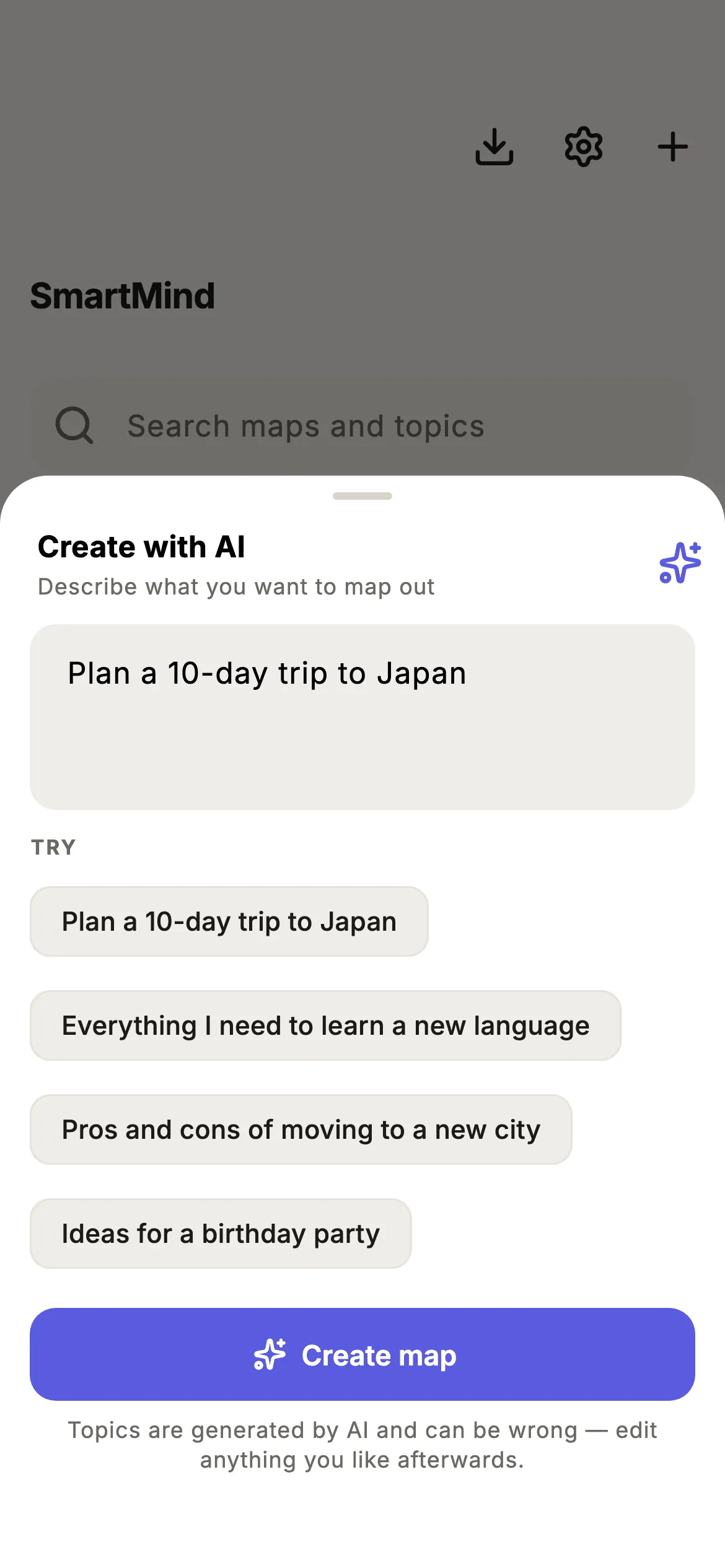
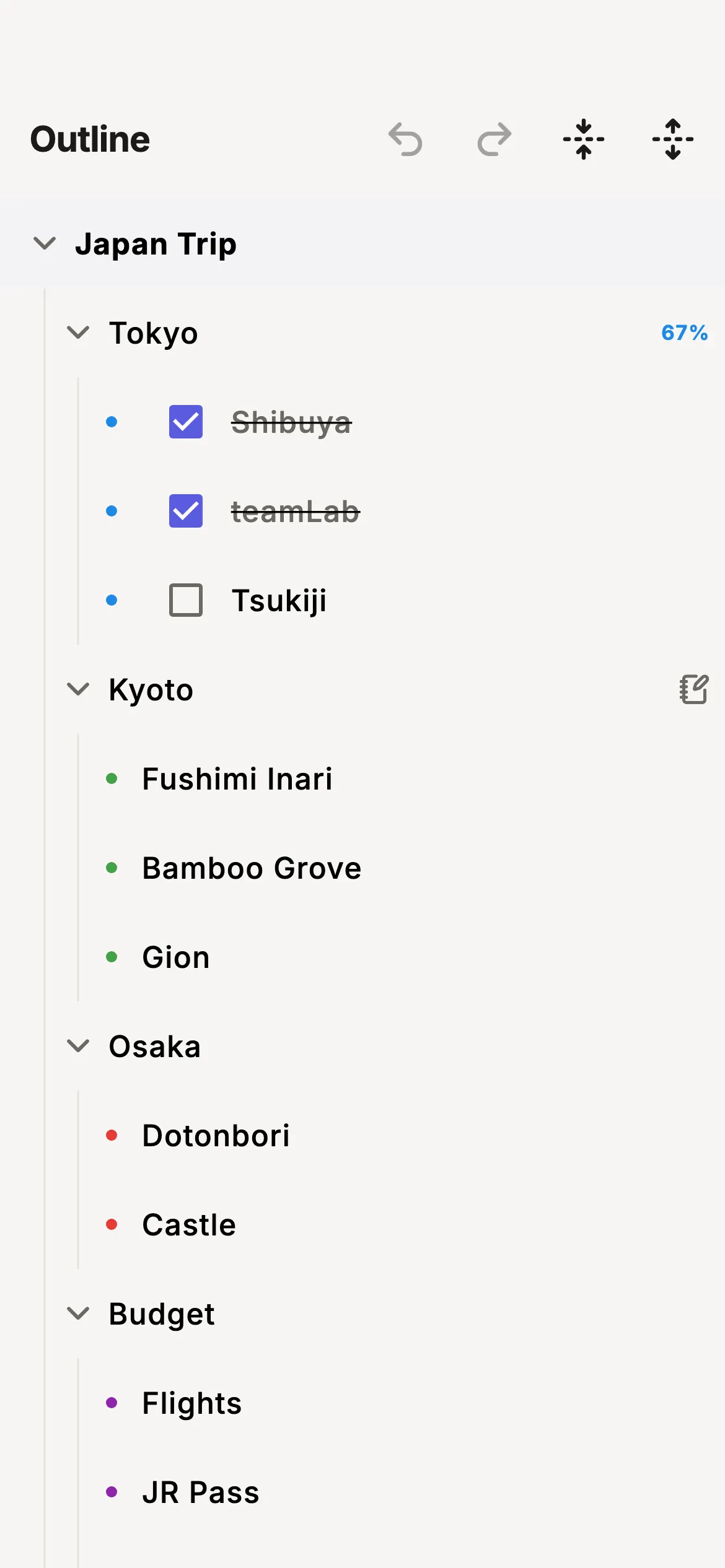
Type a list. See a map.
Some thoughts come out as lists. The editable outline view lets you type, indent and reorder topics like in a notes app — and every change shows up on the map instantly.
- Checkboxes with progress that rolls up the branch
- Notes, images, icons and links on any topic
- Drag and drop to re-parent or reorder
- Search inside a map and across your library
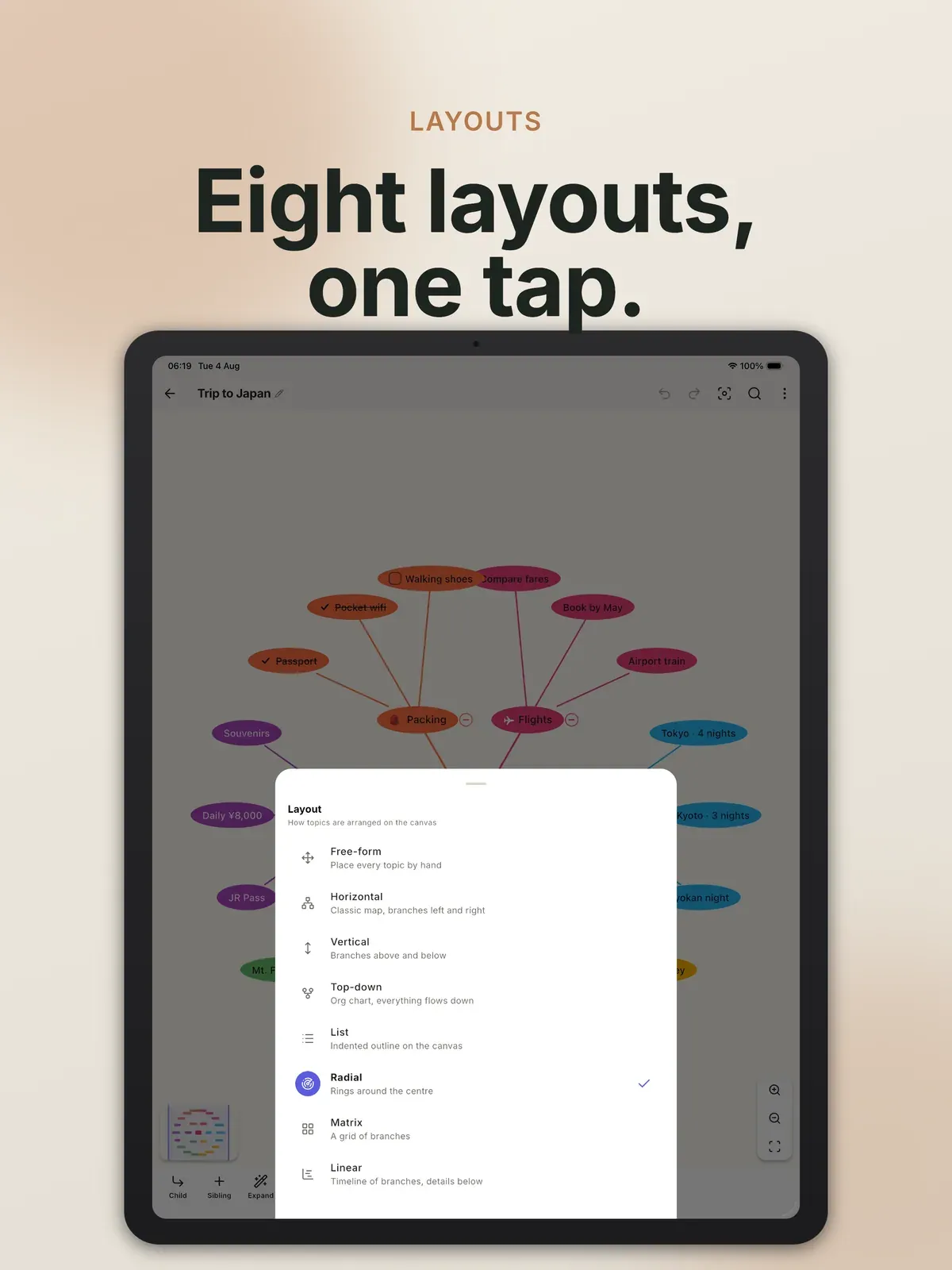
One map, eight shapes.
Switch the same map between layouts with one tap, and style it with 18 hand-built themes — eight of them dark. Restyle any topic or branch line on its own when one idea needs to stand out.
- Horizontal
- Vertical
- Org chart
- Timeline
- Radial
- Matrix
- List
- Free-form
Your maps never leave your device.
Most mind mapping apps want an account and your data in their cloud. Smart Mind doesn’t. That isn’t a slogan — turn on airplane mode and everything except AI keeps working.
No account
Open the app and start. There is nothing to sign up for.
No ads, no tracking
No analytics, no ad SDKs, no profile of you anywhere.
Offline-first
Maps live on your device and open instantly, with or without a signal.
Sync without a cloud
Pro syncs your own devices directly over Wi-Fi.
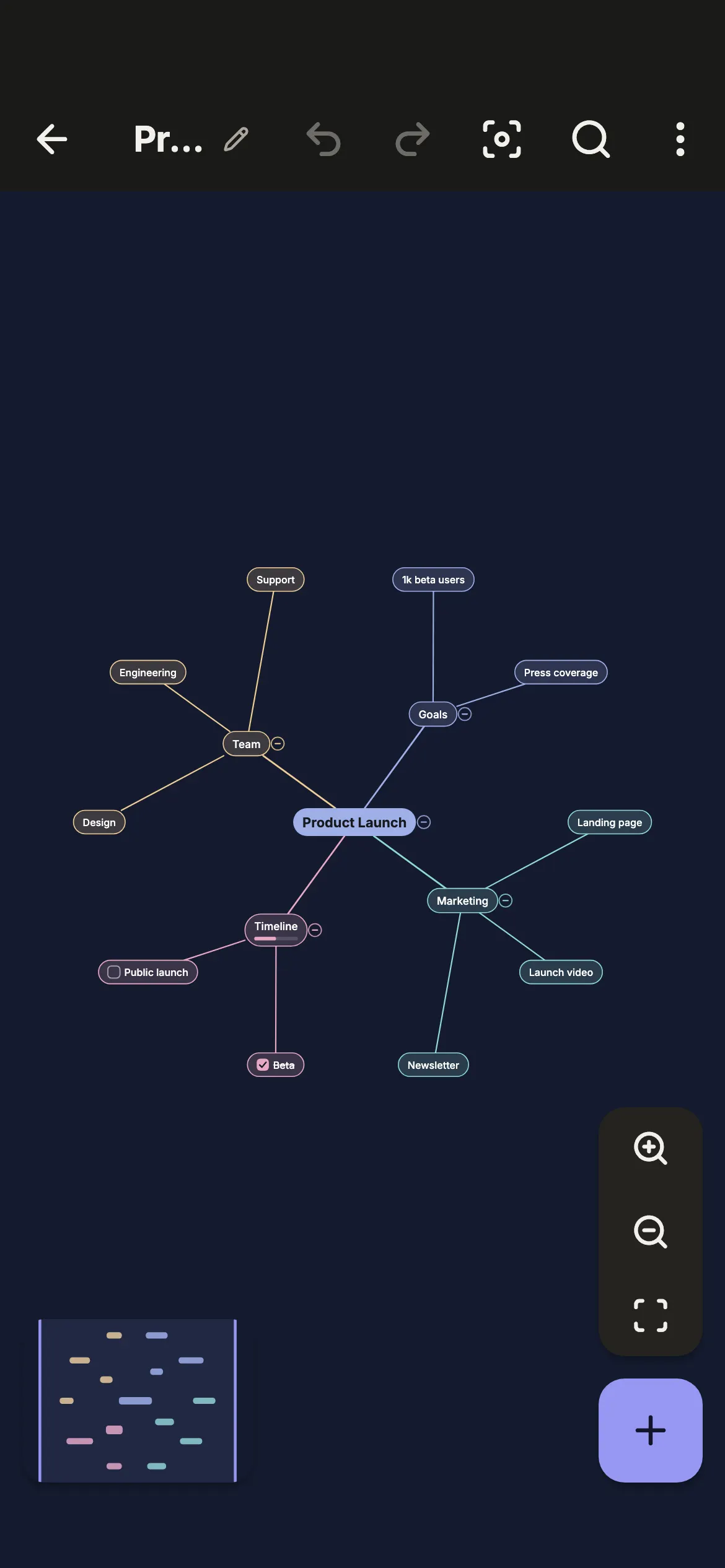
One app for every kind of thinking.
Study and revise
Turn a chapter into one page you can recall from memory.
See an example →Plan projects
Goals, milestones and tasks with progress that rolls up.
See an example →Brainstorm
Get every idea down first, then drag them into shape.
See an example →Take meeting notes
Decisions and action items you can actually find later.
See an example →Outline writing
Plan an essay, a talk or a book before the first draft.
See an example →Make decisions
Pros, cons and what would change your mind, side by side.
See an example →Example: planning a trip
Built in Smart Mind in under a minute. Browse more mind map examples orstart from a template.
Free is the whole app. Pro is for power users.
Free
$0
- Up to 5 maps, each with unlimited topics
- Notes, images and icons on any topic
- All 8 layouts, outline view, search
- Checkboxes, progress, crosslinks, templates
- 3 themes, image and text export
- A small AI allowance to try it
- Import anything, always
Pro
Monthly, yearly or lifetime
- Everything in Free, unlimited maps
- All 18 themes, plus your own
- PDF, HTML, Markdown and OPML export
- Print and present as a slideshow
- Sync between your devices
- A larger AI allowance for everyday use
Prices are shown in your currency in the app. If a subscription ends, every map stays editable.Full comparison.
Frequently asked questions
Is Smart Mind free?
Yes. The free version is a complete mind mapping app, not a trial: unlimited topics, images, notes, checkboxes, all eight layouts, the outline view and search. Smart Mind Pro adds every theme, PDF and Markdown export, presenting, device sync and a bigger AI allowance. Compare Free and Pro.
Does Smart Mind work offline?
Yes. Everything works without a connection except AI, which needs the internet. Your maps are stored on your device, so you can brainstorm on a plane, in the subway or anywhere else.
Where are my mind maps stored?
On your device, and nowhere else. Smart Mind has no account and no server that holds your maps. There are no ads, no analytics and no tracking. How privacy works.
How does the AI mind map generator work?
Describe what you are thinking about in one sentence — "plan a 10-day trip to Japan" — and Smart Mind builds a structured map. Every generated topic is ordinary, editable text. You can also expand any topic into sub-topics. More about AI mind maps.
Which devices does Smart Mind run on?
iPhone, iPad and Android phones and tablets. With Pro, you can sync maps directly between your own devices over Wi-Fi — no cloud account involved.
Can I import or export my maps?
Yes. Export to PDF, PNG, HTML, Markdown, OPML or a plain text outline, or print. Import OPML and outlines, and restore full Smart Mind backups — importing is always free. Import, export and back up.
Start your first map in a minute
Free on iPhone, iPad and Android. No account to create, nothing to set up.